Model Context Protocol (MCP): The USB-C Standard for AI Agents in 2026
on Mcp, Ai agents, Llm, Developer tools, Anthropic, 2026

What Is Model Context Protocol?
If you’ve been building AI-powered applications in 2026, you’ve almost certainly heard of MCP — Model Context Protocol. Originally introduced by Anthropic in late 2024, MCP has grown into an open, community-driven standard that defines how AI language models connect to external tools, data sources, and services.
Think of it as USB-C for AI agents: one universal interface that lets any model talk to any tool without custom glue code.
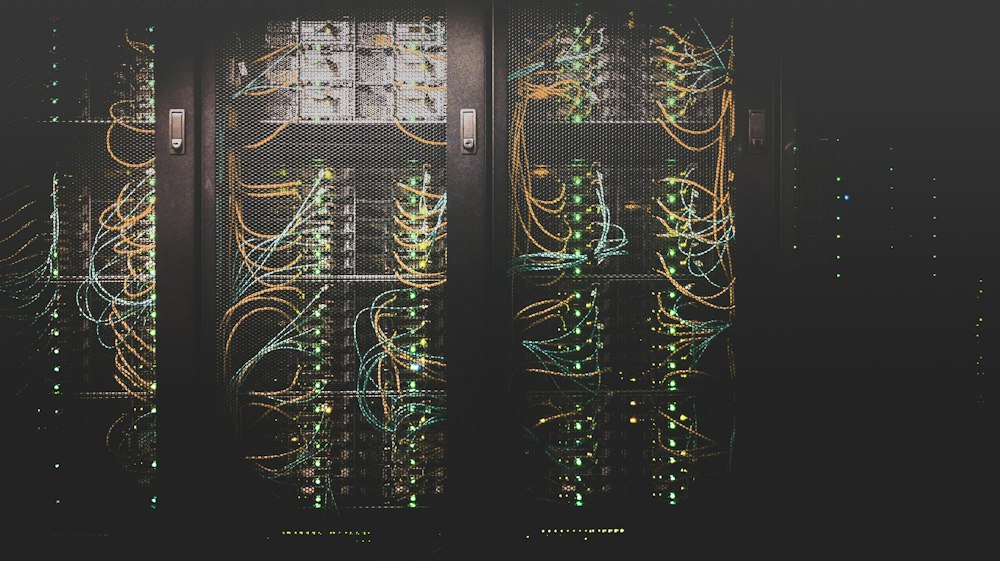
Before MCP, every AI integration looked like spaghetti — custom function-calling schemas, proprietary plugin APIs, one-off REST wrappers. Today, if your tool speaks MCP, it works with Claude, GPT, Gemini, Llama, and every compliant agent runtime out of the box.
The Architecture at a Glance
MCP uses a client-server model with three main roles:
| Role | Responsibility |
|---|---|
| Host | The AI application (e.g., Claude Desktop, your chat app) |
| Client | The MCP client embedded in the host |
| Server | Exposes tools, resources, and prompts to the AI |
Communication happens over JSON-RPC 2.0, transported via stdio (for local processes) or HTTP+SSE (for remote services). The protocol defines three primitives:
- Tools — functions the AI can call (search, write file, query DB)
- Resources — data the AI can read (files, API responses, memory)
- Prompts — reusable prompt templates with parameters
Building Your First MCP Server
The TypeScript SDK makes it straightforward. Here’s a minimal server that exposes a “fetch-weather” tool:
import { Server } from "@modelcontextprotocol/sdk/server/index.js";
import { StdioServerTransport } from "@modelcontextprotocol/sdk/server/stdio.js";
import {
  CallToolRequestSchema,
  ListToolsRequestSchema,
} from "@modelcontextprotocol/sdk/types.js";

const server = new Server(
  { name: "weather-server", version: "1.0.0" },
  { capabilities: { tools: {} } }
);

server.setRequestHandler(ListToolsRequestSchema, async () => ({
  tools: [
    {
      name: "get_weather",
      description: "Get current weather for a city",
      inputSchema: {
        type: "object",
        properties: {
          city: { type: "string", description: "City name" },
        },
        required: ["city"],
      },
    },
  ],
}));

server.setRequestHandler(CallToolRequestSchema, async (request) => {
  if (request.params.name === "get_weather") {
    const city = request.params.arguments?.city as string;
    // Call your weather API here
    const weather = await fetchWeather(city);
    return {
      content: [{ type: "text", text: JSON.stringify(weather) }],
    };
  }
  throw new Error("Tool not found");
});

const transport = new StdioServerTransport();
await server.connect(transport);
That’s it. Register this server in your MCP host’s config and any compliant AI model can now ask about the weather.
The MCP Ecosystem in 2026
The ecosystem has exploded. As of mid-2026, the official MCP servers repository lists over 400 community-maintained servers covering:
- Dev tools: GitHub, GitLab, Jira, Linear, Sentry
- Databases: PostgreSQL, MySQL, MongoDB, Redis, SQLite
- Cloud: AWS, GCP, Azure resource management
- Productivity: Google Drive, Notion, Obsidian, Linear
- Communication: Slack, Discord, Gmail, Telegram
- Browsers: Puppeteer, Playwright, browser automation
Major cloud providers now ship native MCP support. AWS Bedrock agents, Google Vertex AI agents, and Azure AI Foundry all support MCP servers as first-class tool providers.
Remote MCP: From Local to Production
The initial MCP wave was local-only (stdio transport). The 2026 shift is toward remote MCP servers over HTTPS — think of them as API endpoints that speak MCP.
{
  "mcpServers": {
    "github": {
      "url": "https://mcp.github.com/v1",
      "transport": "http",
      "auth": {
        "type": "oauth2",
        "clientId": "your-client-id"
      }
    }
  }
}
This opens up SaaS-style MCP: vendors host their own MCP endpoints, and developers just point their agents at them. GitHub, Stripe, Shopify, and Atlassian have all launched hosted MCP endpoints in 2026.
Security Considerations
With great power comes great responsibility. MCP servers have real access to real systems, so:
1. Principle of Least Privilege Scope your MCP server’s permissions tightly. A “read GitHub issues” server shouldn’t also have write access to repositories.
2. Tool Poisoning Awareness Malicious content in tool responses (e.g., documents with hidden instructions) can attempt to manipulate AI behavior. Sanitize and validate all tool outputs.
3. Authorization at the Server Layer Don’t rely solely on the AI to gate actions. Enforce permissions in the MCP server itself — the model should be treated like any other API client.
4. Audit Logs Log all tool invocations. When an AI agent takes an action, you need a paper trail.
MCP vs Function Calling: What’s the Difference?
A common question: isn’t this just OpenAI’s function calling?
| Feature | Function Calling | MCP |
|---|---|---|
| Portability | Provider-specific | Any MCP-compliant model |
| Discovery | Static schema in prompt | Dynamic via tools/list |
| Resources | Not supported | First-class concept |
| Prompts | Not supported | First-class concept |
| Transport | In-process | stdio or HTTP |
| Ecosystem | OpenAI-centric | Open standard |
Function calling is baked into a specific API. MCP is a transport-layer protocol — the tool implementation lives outside the model and can be reused across providers.
What’s Next for MCP
The spec is still evolving. Active proposals for MCP 1.x and beyond include:
- Streaming tool results — return partial results as they arrive
- Multi-modal resources — images, audio, and video as first-class resource types
- Agent-to-agent communication — MCP as the protocol for agentic meshes
- Capability negotiation — servers advertising what features they support at connection time
The Working Group, now hosted under the Linux Foundation’s AI & Data Foundation, is targeting a stable 2.0 spec by Q4 2026.
Getting Started Today
- Read the spec: modelcontextprotocol.io
- Browse servers: github.com/modelcontextprotocol/servers
- Pick an SDK: TypeScript, Python, Java, Go, and Rust SDKs are all available
- Try it locally: Install Claude Desktop and configure a local MCP server in minutes
MCP is quickly becoming as foundational to AI development as REST was to web APIs. If you’re building anything that involves AI and tools, learning MCP isn’t optional — it’s the language everyone’s speaking.
Have an MCP server you’ve built? Share it in the comments — the community is always looking for new integrations.
이 글이 도움이 되셨다면 공감 및 광고 클릭을 부탁드립니다 :)
